


Preggers: Pregnancy & Baby App
4.987.00 Reviews
App Specs
- Version
- 4.10.4
- Updated On
- License
- Free
- Downloads
- 100,000+
- Developer
- Stroller AB
- Categories
- Parenting
- Platform
- Android
Screenshots
 Analysis by AppCompare
When I choose a pregnancy app, I want more than a week-by-week countdown. I look for something that can help me make sense of what’s changing, keep practical plans in one place, and stay useful after the novelty of checking a baby-size comparison wears off. Preggers: Pregnancy & Baby App is most appealing when you want those different parts of pregnancy preparation gathered in one companion, rather than scattered across separate trackers, name lists, and checklists.
A good fit depends on what you want to organize
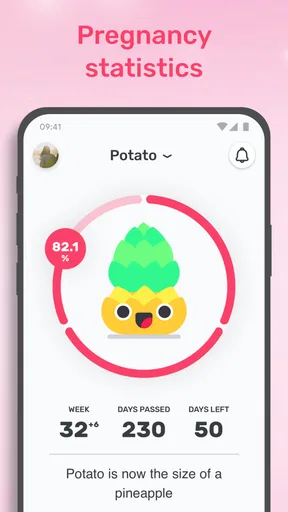
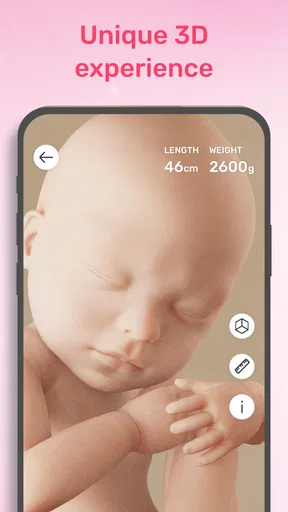
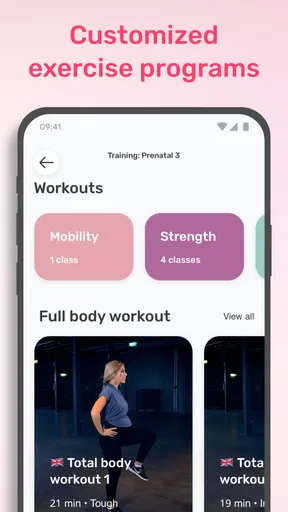
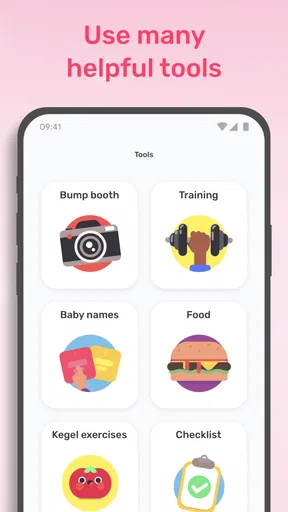
Preggers is a free parenting app from Stroller AB, with optional in-app purchases ranging from $0.99 to $84.99 per item. It is rated for Everyone, and the current version is 3.11.1. Its focus reaches beyond pregnancy updates: you can use it for 3D baby-size comparisons, fruit comparisons, a smart checklist, trending names, and training. That mix makes it worth considering if you like an app that can support both the emotional side of following a pregnancy and the practical work of getting ready.
I would not choose a pregnancy app only because it has the most features. The more useful question is whether you want a guided overview or a specialist tool. If your main goal is to keep a private record of appointments or symptoms, a simple notes app or a dedicated health tracker may suit you better. If you enjoy having a visual weekly prompt and a preparation checklist alongside baby-related content, Preggers has a more rounded role.
Where the all-in-one approach earns its place
A helpful way to use its different tools is to tie them to routines you already have. You might check the weekly view during a quiet moment, then add one practical task to the checklist instead of trying to plan everything at once. When you and a partner are discussing names, the trending-name section can be a starting point for conversation, not a verdict on what you should choose. That distinction matters: inspiration is useful, but a list cannot replace your own preferences.
The fruit comparisons and 3D visuals are best treated as ways to make a stage feel more tangible, not as precise measurements of an individual pregnancy. Comparisons can be memorable, especially when you are sharing an update with family, but they are illustrations rather than a substitute for clinical advice. I find that this is a sensible way to enjoy the visual side without turning a playful reference into a source of worry.
Preggers has a 4.9 average from around 1.6 thousand ratings, with about 73 written reviews and over 100 thousand installs. Those figures suggest that plenty of people have found it worth trying, though they cannot tell you whether its style will fit your habits. It was released on February 10, 2022, and runs on Android 6.0 or later. If you are deciding whether to install it, the free starting point lowers the commitment; the in-app purchase range is still worth keeping in mind if you prefer to avoid optional spending.
When another kind of app may be better
Compared with using a calendar, notes app, and separate baby-name list, Preggers can reduce the effort of switching between tools. The trade-off is that a bundle of pregnancy-oriented features may feel like more than you need if you only want one narrow function. A plain checklist is often easier for a household that already has a shared planning system, while a dedicated medical record is the better place for information you need to discuss with a clinician. I would keep those roles distinct rather than expecting one parenting app to do everything.
Worth Reading Before You Choose

EA SPORTS FC Mobile 26 Is a Bigger Football Game, but It Takes Time

Flipboard Shows What News Apps Must Do Beyond the Feed

Switching to Android Auto Means Rethinking Your Driving Routine

Google Calendar Makes a Crowded Week Easier to Manage

Ludo King Makes the Most of the Minutes Between Plans

Baby Panda World Brings Quick Play to Modern Phones, but Its Game Library Feels Busy
It is also worth thinking about how you feel around pregnancy content. Weekly development prompts and visual comparisons can make the experience more engaging, but they may not be comforting every day. If you find frequent updates stressful, you can use the app selectively rather than treating it as a daily obligation. The most useful digital companion is one that supports your routine without making you feel behind when you do not open it.
A realistic way to fit it into the week
Imagine you have a few minutes on Sunday evening to plan the week ahead. You could look at the pregnancy content for context, note one preparation task in the checklist, and bring a question that came to mind to your next appointment. Later, you might browse names with your partner or use a comparison image to explain the current stage to a relative. This keeps the app in a supporting role: it helps you remember and talk through things, while medical decisions stay with you and your care team.
One practical tip is to avoid turning every section into a task. Pick the features that answer a current need: the checklist when you are organizing, the name tools when you are discussing choices, and the weekly visuals when you want a simple point of reference. That selective approach can make a multi-purpose app feel calmer and more personal, and it makes it easier to tell whether the app is genuinely helping rather than just filling your phone with another stream of content.
Getting Started with Preggers
First off, downloading Preggers is a breeze. Available on both Android and iOS, you can grab it from your app store of choice. Once installed, you’re greeted with a friendly interface that’s as intuitive as it is informative. The sign-up process is pretty straightforward—just enter your due date, and you’re on your way!
Features That Stand Out
One of the things I love about this app is its comprehensive approach to pregnancy. It’s like having a personal guide by your side, ready to offer tips and advice at every stage. Here are some features that really make it shine:
- Weekly Updates: Each week, the app provides detailed updates on your baby’s development. It’s fascinating to track how your little one is growing, and the app breaks it down in a way that’s easy to understand.
- Personalized Tips: The app offers personalized tips that cater to your specific week of pregnancy. Whether it’s nutrition advice or exercise suggestions, Preggers has got your back.
- Community Support: One of my favorite features is the community forum. It’s a fantastic place to connect with other expecting parents, share experiences, and ask questions.
- Health Tracking: From tracking your weight gain to monitoring your mood swings, the app offers various tools to keep tabs on your health. It’s like having a mini health diary right in your pocket!
User Experience
Now, let’s talk about the user experience. The design is clean and modern, with a calming color palette that immediately sets a soothing tone. The navigation is smooth, making it easy to find exactly what you’re looking for without any fuss. I appreciate how the app balances information with visuals, providing diagrams and images that make learning about pregnancy stages more engaging.
Another cool aspect is the daily inspiration section. It’s filled with uplifting quotes and tidbits that are perfect for giving you that extra boost of positivity on days when you need it most.
Room for Improvement?
While I’m a big fan of Preggers, no app is perfect, right? One area where it could improve is offering more content for partners. Although the app is primarily focused on the expecting parent, it would be great to see a section dedicated to partners to help them feel more involved in the journey.
Additionally, while the community forum is a fantastic feature, sometimes the threads can become a bit overwhelming. Perhaps a more robust search or filter option could help users find relevant discussions more easily.
Final Thoughts
Overall, Preggers: Pregnancy & Baby App is a fantastic resource for anyone on the pregnancy journey. Its thoughtful design, in-depth weekly updates, and supportive community make it a standout choice among pregnancy apps. Whether you’re a first-time parent or adding another little one to your family, this app is worth checking out.
So, if you’re looking for a digital companion to guide and support you through pregnancy, Preggers might just be the perfect fit. Give it a try and see how it can enhance your journey to parenthood. Happy parenting!
What to expect from the switch
If you already use another pregnancy tracker, moving to Preggers does not need to mean abandoning your existing routine. I would first try its weekly content and checklist for a short stretch, while keeping any notes or records you rely on where they are. That gives you a fair comparison without risking the loss of details you may want to revisit. If the checklist becomes your preferred place for preparation, you can gradually move general tasks over; personal health notes are better kept wherever you can reliably find and share them.
It is also reasonable to wonder whether the app is free to use or whether payment is necessary. Preggers is free to start, while some in-app purchases are offered. I would explore the parts that matter to me before considering any purchase, and treat optional spending as a choice rather than a requirement for getting basic value from the app.
Who I would recommend it to
I would suggest Preggers to someone who enjoys visual, week-based pregnancy guidance and wants planning aids close at hand. It can also work well for a first-time parent who is not sure what to organize first: using a checklist as a prompt can turn a vague sense of preparation into a manageable next step. The name section and fruit comparisons add lighter ways to engage with the journey, especially if you like sharing small updates with someone close to you.
I would be more cautious about recommending it to someone who wants a strictly clinical tool, a highly customized personal journal, or a partner-focused experience. It is not a replacement for professional care, and a general pregnancy app cannot interpret symptoms or make decisions for you. If browsing community discussions tends to heighten your anxiety, you may prefer to skip that area and use the more practical parts—or choose a quieter, single-purpose alternative.
My bottom line
Preggers stands out most when you want pregnancy information, visual context, and preparation tools in one place, but its breadth is also the main trade-off: not every feature will matter to every parent. I would start with one clear purpose, such as checking weekly content or keeping track of preparation tasks, and let the rest remain optional. For someone who wants a friendly companion rather than a medical record or a rigid planning system, it is an easy app to try; for someone who already has a dependable routine and wants only one precise tool, a simpler alternative may be the better fit.
Pros
- Comprehensive tracking for all pregnancy stages.
- User-friendly interface with intuitive design.
- Customizable reminders for important milestones.
- Engaging community support and forums.
- Regular updates with the latest pregnancy info.
Cons
- Limited features available in the free version.
- Some users report occasional app crashes.
- Community forums can become overwhelming.
- Requires internet connection for full access.
- Notifications can be overly frequent for some.
FAQs for Preggers: Pregnancy & Baby App
What features does the Preggers: Pregnancy & Baby App offer?
Preggers provides a comprehensive suite of features for expecting parents, including a due date calculator, weekly pregnancy updates, health tips, a contraction timer, and a kick counter. Additionally, it offers a community forum where users can share experiences and advice, as well as personalized content tailored to each stage of pregnancy.
Is the Preggers app available for both Android and iOS?
Yes, the Preggers app is available for download on both Android and iOS platforms. Users can find it on the Google Play Store for Android devices and the App Store for iOS devices. Both versions offer the same features and functionalities, ensuring a consistent experience across devices.
Does Preggers require an internet connection to function?
While many features of the Preggers app, such as the pregnancy tracker and health tips, can be accessed offline, some functionalities like community forums and personalized content updates require an internet connection. To fully utilize the app, ensure your device is connected to the internet regularly.
Is user data secure in the Preggers app?
Preggers prioritizes user data security and privacy. The app employs encryption and complies with relevant data protection regulations to safeguard personal information. Users have control over their data and can adjust privacy settings within the app to suit their preferences, ensuring peace of mind while using the app.
Can I use Preggers if I’m already in the middle of my pregnancy?
Absolutely! Preggers is designed to be useful at any stage of pregnancy. Upon setting up the app, you can input your current week of pregnancy to receive accurate updates and resources. The app will tailor its content and advice to your specific stage, providing relevant information and support.


